

INTRODUCTION TO ABAQUS FOR CATIA V5
PROVIDES UNDERSTANDING OF HOW TO USE ABAQUS FOR CATIA V5 TO PREPARE A CATIA V5 ANALYSIS DOCUMENT TO PERFORM AN ABAQUS/STANDARD STRUCTURAL, THERMAL, OR SEQUENTIALLY COUPLED THERMAL-STRUCTURAL ANALYSIS
Introduction to Abaqus for CATIA V5
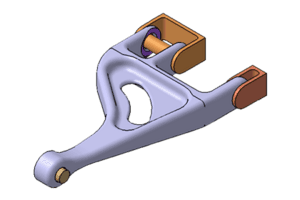
The integration of Abaqus for CATIA V5 (AFC) allows engineers to leverage the advanced nonlinear FEA power of Abaqus without leaving the familiar CATIA V5 PLM environment. This workflow eliminates the need for tedious geometry translation and ensures that the analysis model remains associative with the original design.
Integration of AFC with CATIA V5
AFC operates as a workbench within CATIA. It maps CATIA’s Analysis & Simulation features directly to Abaqus keywords.
- Associativity: Changes made to the CATIA CAD model automatically propagate to the Abaqus analysis features.
- Workflow: You use CATIA’s Generative Structural Analysis (GSA) tools alongside AFC-specific toolbars to define simulation parameters.
Analysis Cases and Steps
Abaqus breaks simulations down into Steps, which represent different phases of loading or environmental changes.
- Initial Step: Defines boundary conditions that exist at the start (e.g., fixed supports).
- Analysis Steps: Includes Static, Heat Transfer, or Frequency steps. You can chain these together to simulate complex sequences.
Loads, Boundary Conditions, and Fields
- Loads: Apply forces, moments, pressures, or gravity.
- Boundary Conditions (BCs): Control degrees of freedom (translations and rotations) at specific nodes or surfaces.
- Fields: Used for non-structural influences, such as defining a temperature field for thermal expansion.
Model, Assembly, and Part Properties
AFC uses the CATIA product structure. You define material properties (Elasticity, Plasticity, Thermal Conductivity) and assign them to Sections (Solid, Shell, or Beam).
- Mesh Generation: AFC utilizes CATIA’s meshing tools while allowing for Abaqus-specific element types (e.g., C3D8R, S4R).
Geometric Nonlinearity
Unlike basic linear solvers, Abaqus excels at Large Displacement analysis.
- If a structure undergoes significant shape changes under load, AFC accounts for the changing geometry by updating the stiffness matrix throughout the step.
Contact
Contact is one of Abaqus’s strongest suits. AFC allows you to define interactions between parts that are not physically joined.
- General Contact: Automatically detects contact between all bodies.
- Contact Pairs: Specifically defines a “Master” and “Slave” surface interaction.
- Properties: Includes friction coefficients and “Hard” or “Soft” pressure-overclosure relationships.
Static and Thermal Analysis
The course covers three primary analysis types:
- Static Structural: Determining stresses and strains under constant loads.
- Steady-State Thermal: Analyzing heat distribution.
- Sequentially Coupled Thermal-Structural: First, the temperature distribution is solved, and those results are then applied as a “pre-defined field” to see how the heat causes mechanical expansion or stress.
Results Evaluation
Once the Abaqus/Standard solver completes the run, the results are visualized directly in the CATIA window.
- Plotting: View Von Mises stress, displacement contours, and plastic strain.
- Probing: Use sensors to find values at specific nodes.
- Animation: Visualize the deformation process over time to identify potential failure points.
Who should attend
This course is recommended for engineers with experience using Abaqus and CATIA V5, especially the Generative Structural Analysis workbench.
Course Overview
The overview provides details of the topics covered in each lecture. Please note that the actual course agenda may vary depending on location.
Schedule and Registration
This course has been developed by SIMULIA and CATIA.
CATIA is the multi-platform software suite for CAD, CAM, and CAE developed by Dassault Systèmes.
Abaqus is a high-end Finite Element Analysis (FEA) software suite used for modeling and simulating the physical behavior of complex mechanical parts and assemblies. It is widely considered one of the most powerful tools in the industry for handling non-linear problems.
In this course, you will learn how to use the best CAD software with the best FAE solvers.